

Live notebook
You can run this notebook in a live session  or view it on Github.
Visualizing patterns#
The EBSD and EBSDMasterPattern signals have a powerful and versatile plot() method provided by HyperSpy. The method’s uses are greatly detailed in HyperSpy’s visualization user guide. This section details example uses specific to EBSD and EBSDMasterPattern signals.
Let’s import the necessary libraries and a nickel EBSD test data set [Ånes et al., 2019]
[1]:
# Exchange inline for notebook or qt5 (from pyqt) for interactive plotting
%matplotlib inline

import matplotlib.pyplot as plt
import pyvista as pv

import hyperspy.api as hs
import kikuchipy as kp

# See https://docs.pyvista.org/user-guide/jupyter/index.html
pv.set_jupyter_backend("static")
[2]:
# Use kp.load("data.h5") to load your own data
s = kp.data.nickel_ebsd_large(allow_download=True)  # External download
s
[2]:
<EBSD, title: patterns Scan 1, dimensions: (75, 55|60, 60)>
Navigate in custom map#
Correlating results from e.g. crystal and phase structure determination, i.e. indexing, with experimental patterns is important when validating the indexing results. When calling plot() without any input parameters, the navigator map is a grey scale image with pixel values corresponding to the sum of all detector intensities within that pattern
[3]:
s.plot()
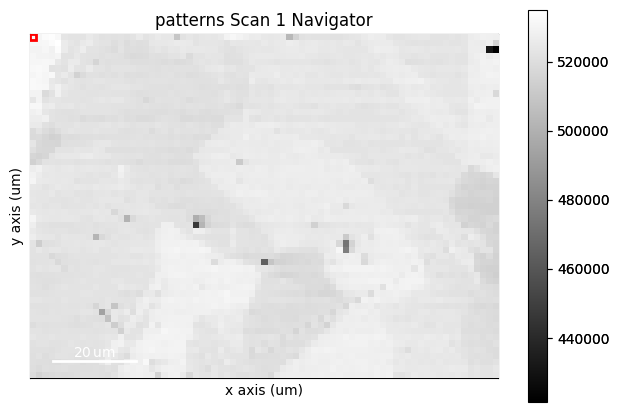
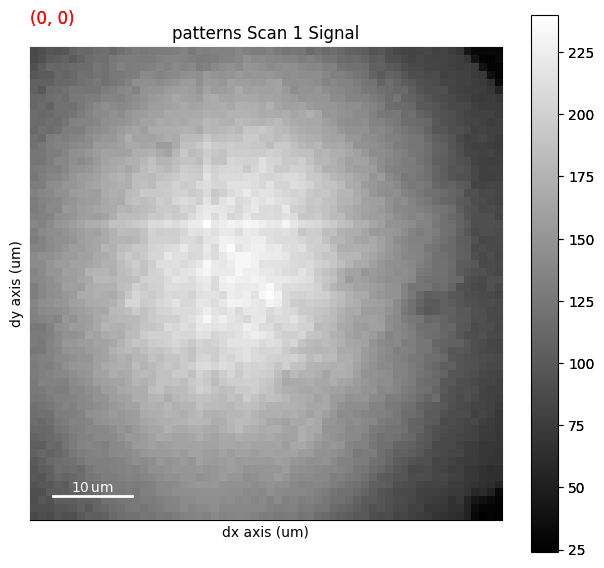
The upper panel shows the navigation axes, in this case 2D. The current navigation position is highlighted in the upper left corner as a red square the size of one pixel. We can change the size of the square with +/-. The square can be moved either by the keyboard arrows or the mouse. The lower panel shows the pattern on the detector in the current navigation position.
Any BaseSignal signal with a 2D signal_shape corresponding to the scan navigation_shape can be passed in to the navgiator parameter in plot(). This includes a virtual image showing diffraction contrast, any quality metric map, or an inverse pole figure (IPF) or phase map.
Virtual image#
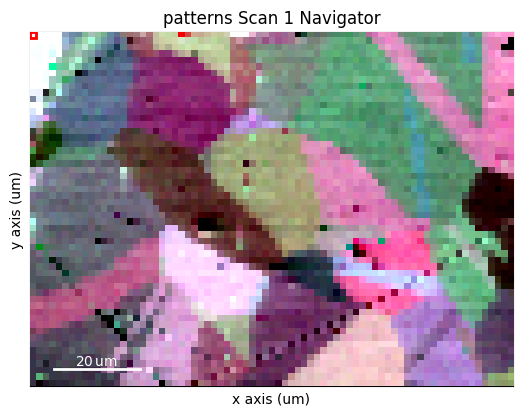
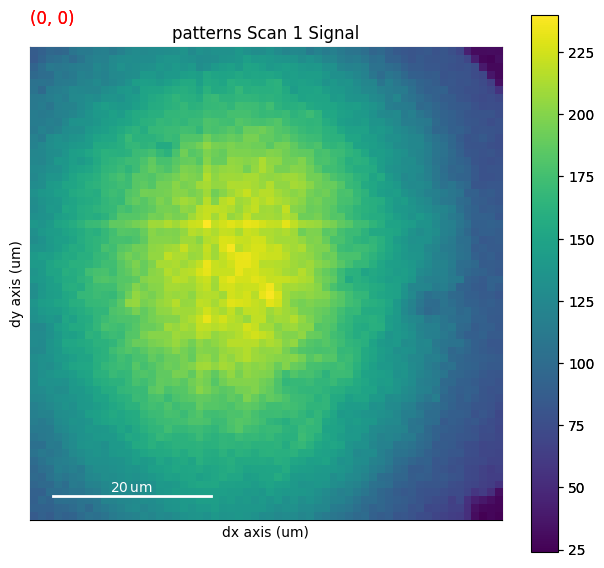
A virtual backscatter electron (VBSE) image created from any detector region of interest with the get_virtual_bse_intensity() method or get_rgb_image() explained in the virtual backscatter electron imaging tutorial, can be used as a navigator for a scan s
[4]:
vbse_imager = kp.imaging.VirtualBSEImager(s)
print(vbse_imager)
print(vbse_imager.grid_shape)
VirtualBSEImager for <EBSD, title: patterns Scan 1, dimensions: (75, 55|60, 60)>
(5, 5)
[5]:
maps_vbse_rgb = vbse_imager.get_rgb_image(r=(3, 1), b=(3, 2), g=(3, 3))
maps_vbse_rgb
[5]:
<VirtualBSEImage, title: , dimensions: (|75, 55)>
[6]:
s.plot(navigator=maps_vbse_rgb, cmap="viridis")
Any image#
An image made into a Signal2D can be used as navigators. This includes quality metric maps such as the image quality map, calculated using get_image_quality()
[7]:
s.remove_static_background()
s.remove_dynamic_background()
---------------------------------------------------------------------------
AttributeError                            Traceback (most recent call last)
Cell In[7], line 1
----> 1 s.remove_static_background()
      2 s.remove_dynamic_background()

File ~/checkouts/readthedocs.org/user_builds/kikuchipy/conda/latest/lib/python3.11/site-packages/kikuchipy/signals/ebsd.py:566, in EBSD.remove_static_background(self, operation, static_bg, scale_bg, show_progressbar, inplace, lazy_output)
    564 attrs = self._get_custom_attributes()
    565 if inplace:
--> 566     self.map(operation_func, inplace=True, **map_kw)
    567     self._set_custom_attributes(attrs)
    568 else:

File ~/checkouts/readthedocs.org/user_builds/kikuchipy/conda/latest/lib/python3.11/site-packages/hyperspy/signal.py:5670, in BaseSignal.map(self, function, show_progressbar, num_workers, inplace, ragged, navigation_chunks, output_signal_size, output_dtype, lazy_output, silence_warnings, **kwargs)
   5668     return result
   5669 else:
-> 5670     self.events.data_changed.trigger(obj=self)

File <string>:4, in trigger(self, obj)
      2 'Could not get source, probably due dynamically evaluated source code.'

File ~/checkouts/readthedocs.org/user_builds/kikuchipy/conda/latest/lib/python3.11/site-packages/hyperspy/events.py:427, in Event.trigger(self, **kwargs)
    425 for function, kwsl in connected_some:
    426     if function not in self._suppressed_callbacks:
--> 427         function(**{kw: kwargs.get(kw, None) for kw in kwsl})
    428 for function, kwsd in connected_map:
    429     if function not in self._suppressed_callbacks:

File ~/checkouts/readthedocs.org/user_builds/kikuchipy/conda/latest/lib/python3.11/site-packages/hyperspy/signal.py:3504, in BaseSignal.update_plot(self)
   3502 if self._plot is not None and self._plot.is_active:
   3503     if self._plot.signal_plot is not None:
-> 3504         self._plot.signal_plot.update()
   3505     if self._plot.navigator_plot is not None:
   3506         self._plot.navigator_plot.update()

File ~/checkouts/readthedocs.org/user_builds/kikuchipy/conda/latest/lib/python3.11/site-packages/hyperspy/drawing/image.py:572, in ImagePlot.update(self, data_changed, auto_contrast, vmin, vmax, **kwargs)
    570         self.figure.canvas.draw_idle()  # draw without rendering not supported for sub-figures
    571     else:
--> 572         self.figure.draw_without_rendering()
    573     self._colorbar.solids.set_animated(self.figure.canvas.supports_blit)
    574 else:

File ~/checkouts/readthedocs.org/user_builds/kikuchipy/conda/latest/lib/python3.11/site-packages/matplotlib/figure.py:3298, in Figure.draw_without_rendering(self)
   3296 renderer = _get_renderer(self)
   3297 with renderer._draw_disabled():
-> 3298     self.draw(renderer)

File ~/checkouts/readthedocs.org/user_builds/kikuchipy/conda/latest/lib/python3.11/site-packages/matplotlib/artist.py:94, in _finalize_rasterization.<locals>.draw_wrapper(artist, renderer, *args, **kwargs)
     92 @wraps(draw)
     93 def draw_wrapper(artist, renderer, *args, **kwargs):
---> 94     result = draw(artist, renderer, *args, **kwargs)
     95     if renderer._rasterizing:
     96         renderer.stop_rasterizing()

File ~/checkouts/readthedocs.org/user_builds/kikuchipy/conda/latest/lib/python3.11/site-packages/matplotlib/artist.py:71, in allow_rasterization.<locals>.draw_wrapper(artist, renderer)
     68     if artist.get_agg_filter() is not None:
     69         renderer.start_filter()
---> 71     return draw(artist, renderer)
     72 finally:
     73     if artist.get_agg_filter() is not None:

File ~/checkouts/readthedocs.org/user_builds/kikuchipy/conda/latest/lib/python3.11/site-packages/matplotlib/figure.py:3289, in Figure.draw(self, renderer)
   3286 finally:
   3287     self.stale = False
-> 3289 DrawEvent("draw_event", self.canvas, renderer)._process()

File ~/checkouts/readthedocs.org/user_builds/kikuchipy/conda/latest/lib/python3.11/site-packages/matplotlib/backend_bases.py:1202, in Event._process(self)
   1200 def _process(self):
   1201     """Process this event on ``self.canvas``, then unset ``guiEvent``."""
-> 1202     self.canvas.callbacks.process(self.name, self)
   1203     self.guiEvent = None

File ~/checkouts/readthedocs.org/user_builds/kikuchipy/conda/latest/lib/python3.11/site-packages/matplotlib/cbook.py:395, in CallbackRegistry.process(self, s, *args, **kwargs)
    393 except Exception as exc:
    394     if self.exception_handler is not None:
--> 395         self.exception_handler(exc)
    396     else:
    397         raise

File ~/checkouts/readthedocs.org/user_builds/kikuchipy/conda/latest/lib/python3.11/site-packages/matplotlib/cbook.py:114, in _exception_printer(exc)
    112 def _exception_printer(exc):
    113     if _get_running_interactive_framework() in ["headless", None]:
--> 114         raise exc
    115     else:
    116         traceback.print_exc()

File ~/checkouts/readthedocs.org/user_builds/kikuchipy/conda/latest/lib/python3.11/site-packages/matplotlib/cbook.py:390, in CallbackRegistry.process(self, s, *args, **kwargs)
    388 if func is not None:
    389     try:
--> 390         func(*args, **kwargs)
    391     # this does not capture KeyboardInterrupt, SystemExit,
    392     # and GeneratorExit
    393     except Exception as exc:

File ~/checkouts/readthedocs.org/user_builds/kikuchipy/conda/latest/lib/python3.11/site-packages/hyperspy/drawing/figure.py:81, in BlittedFigure._on_blit_draw(self, *args)
     77 fig = self.figure
     78 # As draw doesn't draw animated elements, in its current state the
     79 # canvas only contains the background. The following line simply stores
     80 # it for the consumption of _update_animated.
---> 81 self._background = fig.canvas.copy_from_bbox(fig.bbox)
     82 # draw does not draw animated elements, so we must draw them
     83 # manually
     84 self._draw_animated()

AttributeError: 'FigureCanvasBase' object has no attribute 'copy_from_bbox'
[8]:
maps_iq = s.get_image_quality()
s_iq = hs.signals.Signal2D(maps_iq)
s.plot(navigator=s_iq)
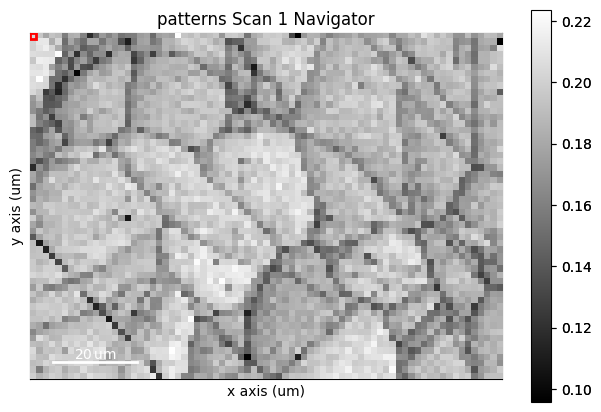
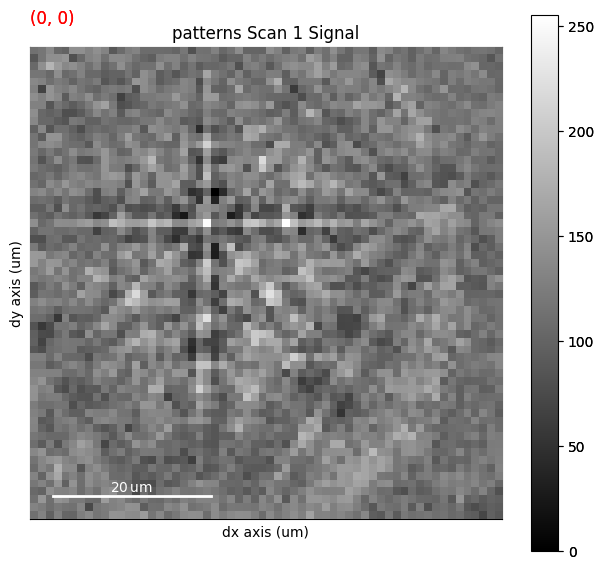
We can obtain an RGB signal from an RGB image using get_rgb_navigator(). Let’s load an IPF-Z map representing orientations obtained from dictionary indexing in the pattern matching tutorial
[9]:
maps_ipfz = plt.imread(
    "../_static/image/visualizing_patterns/ni_large_rgb_z.png"
)
maps_ipfz = maps_ipfz[..., :3]  # Drop the alpha channel
s_ipfz = kp.draw.get_rgb_navigator(maps_ipfz)

s.plot(navigator=s_ipfz, colorbar=False)
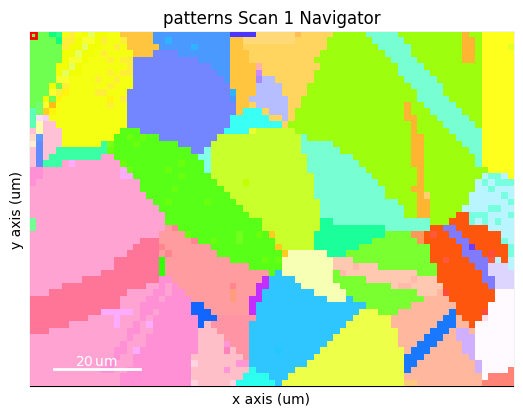
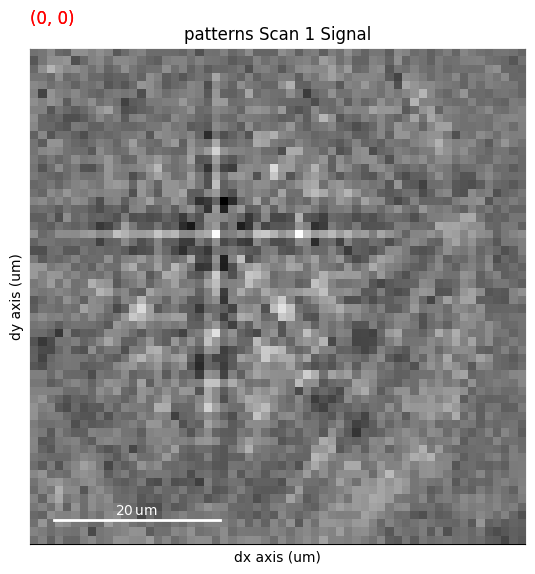
By overlaying the image quality map on the RGB image, we can visualize crystal directions within grains and the grain morphology in the same image
[10]:
maps_iq_1d = maps_iq.ravel()  # Flat array required by orix
maps_ipfz_1d = maps_ipfz.reshape(-1, 3)
fig = s.xmap.plot(maps_ipfz_1d, overlay=maps_iq_1d, return_figure=True)
---------------------------------------------------------------------------
AttributeError                            Traceback (most recent call last)
Cell In[10], line 3
      1 maps_iq_1d = maps_iq.ravel()  # Flat array required by orix
      2 maps_ipfz_1d = maps_ipfz.reshape(-1, 3)
----> 3 fig = s.xmap.plot(maps_ipfz_1d, overlay=maps_iq_1d, return_figure=True)

AttributeError: 'NoneType' object has no attribute 'plot'
By extracting the image array, we can use this map to navigate patterns in
[11]:
maps_ipfz_iq = fig.axes[0].images[0].get_array()
s_ipfz_iq = kp.draw.get_rgb_navigator(maps_ipfz_iq)
s.plot(s_ipfz_iq)
---------------------------------------------------------------------------
NameError                                 Traceback (most recent call last)
Cell In[11], line 1
----> 1 maps_ipfz_iq = fig.axes[0].images[0].get_array()
      2 s_ipfz_iq = kp.draw.get_rgb_navigator(maps_ipfz_iq)
      3 s.plot(s_ipfz_iq)

NameError: name 'fig' is not defined
Plot multiple signals#
HyperSpy provides the function plot_signals() to plot multiple signals with the same navigator (detailed in their documentation). Among other uses, this function enables plotting of the experimental and best matching simulated patterns side by side. This can be a powerful visual validation of indexing results. See the pattern matching tutorial for a demonstration.
Plot master patterns#
EBSDMasterPattern signals can be navigated along their energy axis and/or their upper/lower hemispheres. Let’s reload the nickel master pattern used in the previous section, but this time in the stereographic projection.
[12]:
# Only a single energy, 20 keV
mp_stereo = kp.data.nickel_ebsd_master_pattern_small(
    projection="stereographic", hemisphere="both"
)
print(mp_stereo.axes_manager)
<Axes manager, axes: (2|401, 401)>
            Name |   size |  index |  offset |   scale |  units
================ | ====== | ====== | ======= | ======= | ======
      hemisphere |      2 |      0 |       0 |       1 |
---------------- | ------ | ------ | ------- | ------- | ------
           width |    401 |      0 |  -2e+02 |       1 |     px
          height |    401 |      0 |  -2e+02 |       1 |     px
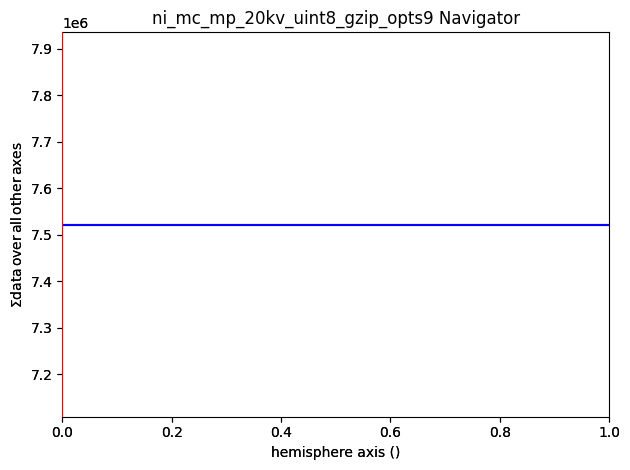
As can be seen from the axes manager, the master pattern has two navigation axes, the upper and lower hemispheres. When plotting, we therefore get a navigation slider
[13]:
mp_stereo.plot()
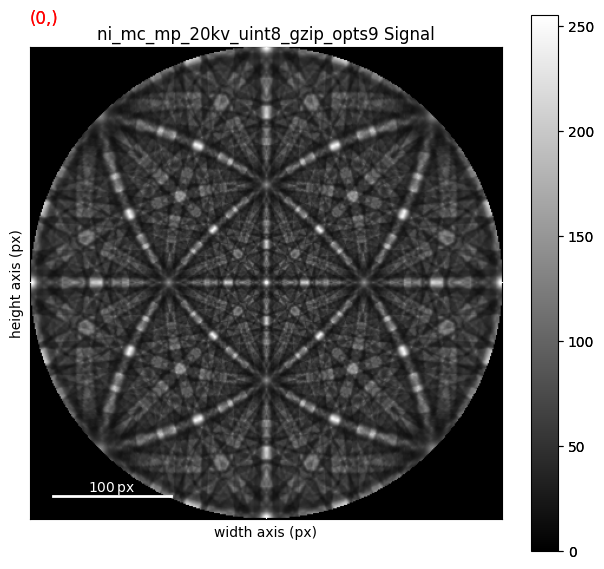
We can plot the master pattern on the sphere with EBSDMasterPattern.plot_spherical(). This visualization requires the master pattern to be in the stereographic projection. If the corresponding phase is centrosymmetry, the upper and lower hemispheres are identical, so we only need one of them to cover the sphere. If the phase is non-centrosymmetric, however, both hemispheres must be loaded, as they are unequal. The initial orientation of the sphere corresponds to the orientation of the stereographic and Lambert projections.
[14]:
mp_stereo.plot_spherical(style="points")
2026-06-14 15:22:05.920 ( 6.309s) [ 7278B5CC7740]vtkXOpenGLRenderWindow.:1460 WARN| bad X server connection. DISPLAY=
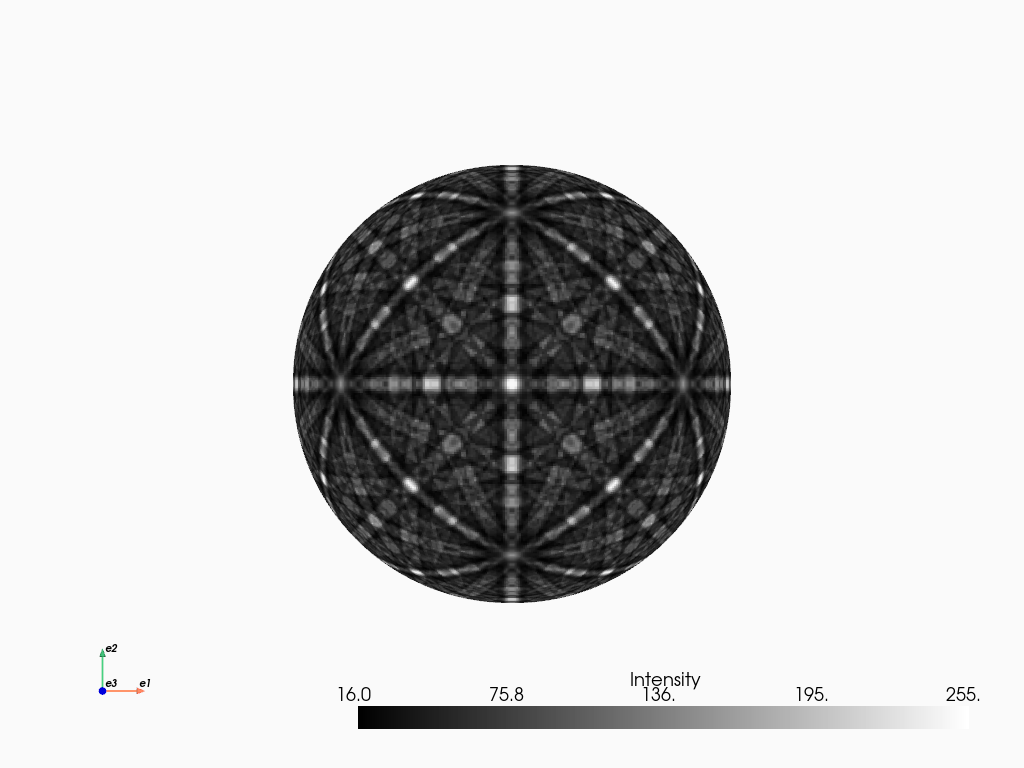
PyVista, required for this plot, is an optional dependency of kikuchipy (see the installation guide for details). Here, the plot uses the static Jupyter backend supported by PyVista. The backend was set in the first notebook cell. When running the notebook locally, we can make the plot interactive setting the backend to "trame". We can pass plotter_kwargs={"notebook": False}" to
plot_spherical() if we want to plot the master pattern in a separate window.